 eeeson
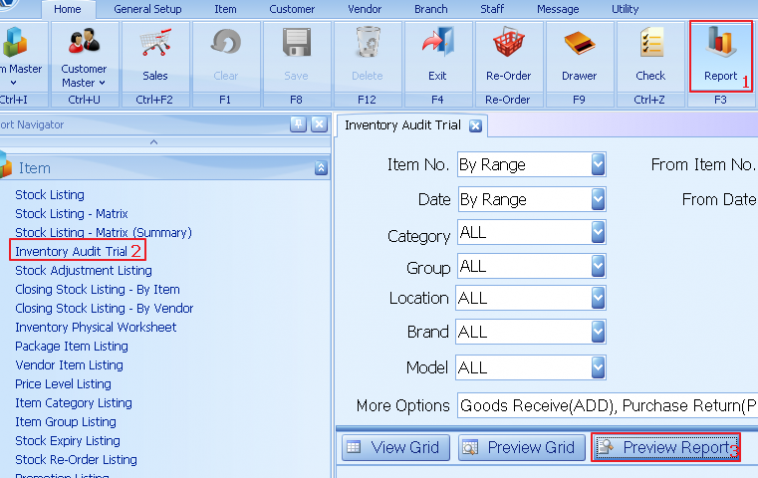
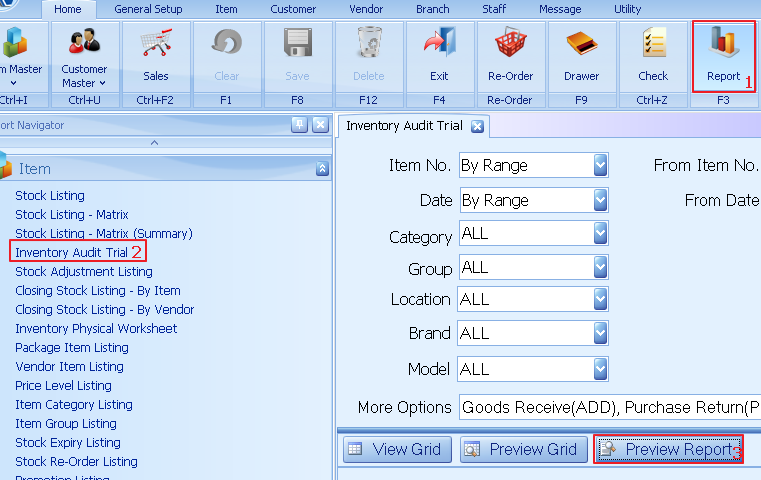
1. Click on report
2. Select report “inventory audit trial”
3. Click preview report
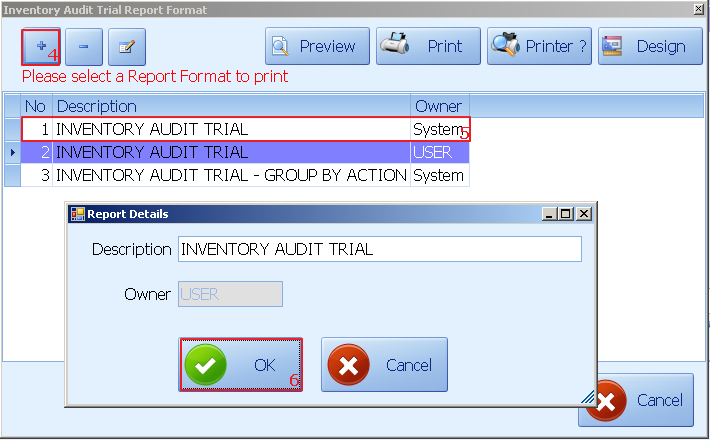
4. Click +
5. Select system default report format|
6. Click ok to add
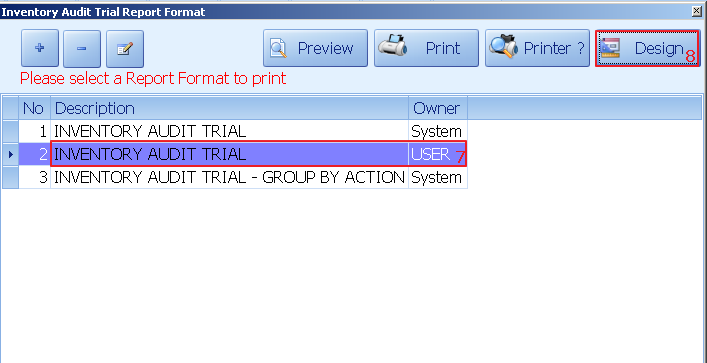
7. Select new created report format
8. Click design
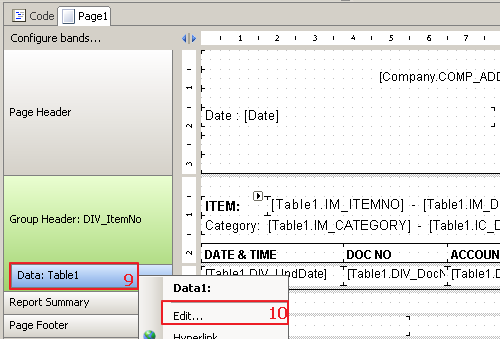
9. Right click on data:table1
10. Click on edit
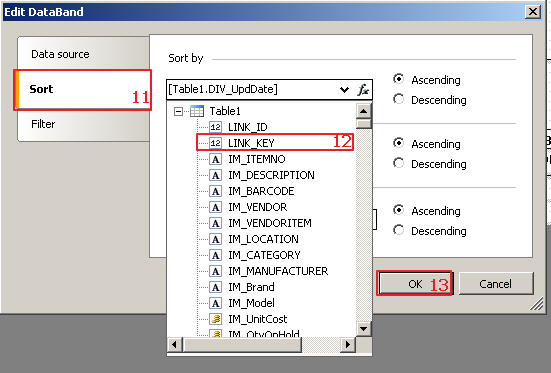
11. Click on sort
12. Select sort by Link_key
13. Click ok