 eeeson
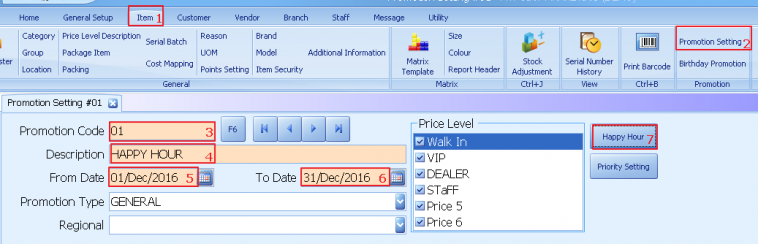
Happy hour
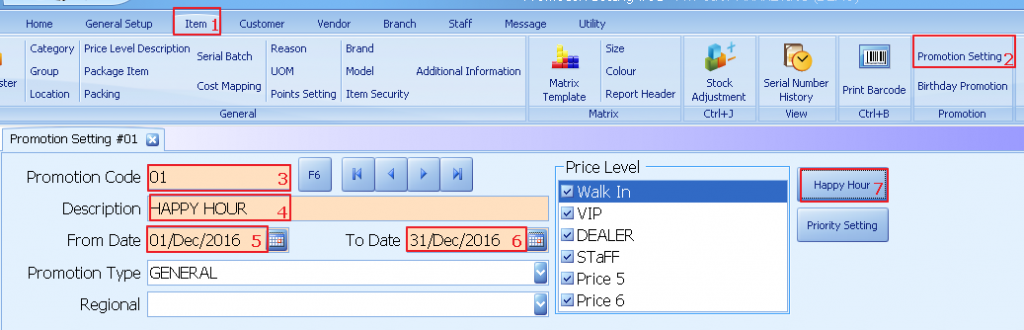
1. Select item
2. Select promotions setting
3. Enter promotions code
4. Enter description
5. Enter promotions start date
6. Enter promotions end date
7. Select happy hour
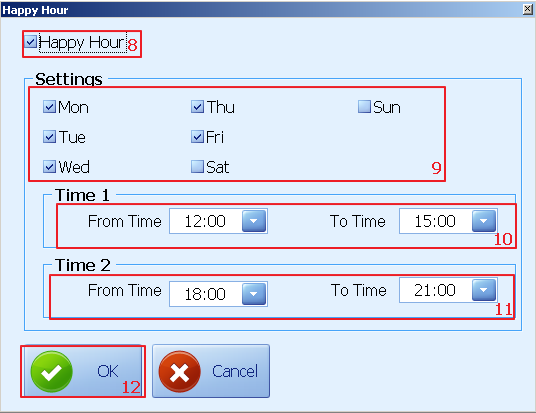
8. Tick happy hour
9. Setting data
10. Set happy hour for time 1
11. Set happy hour for time 2
12. Click ok
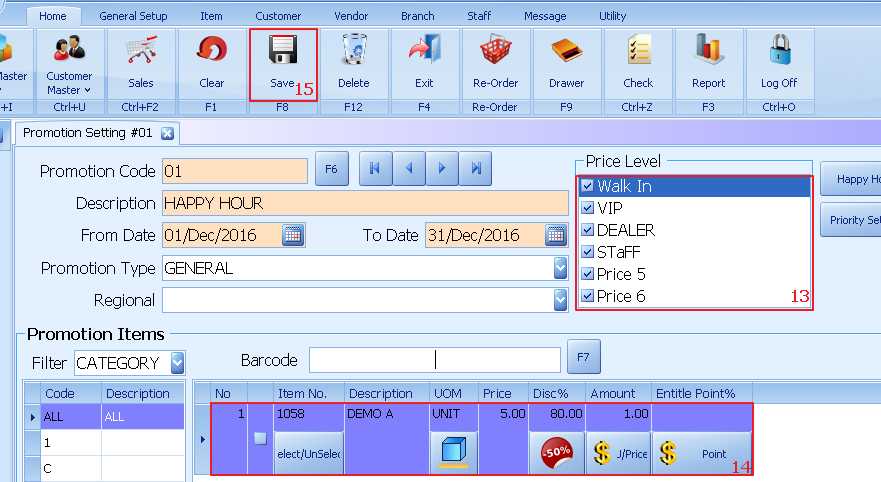
13. Select which price level entitle for the happy hour
14. Select which item & enter the amount during happy hour
15. Click save
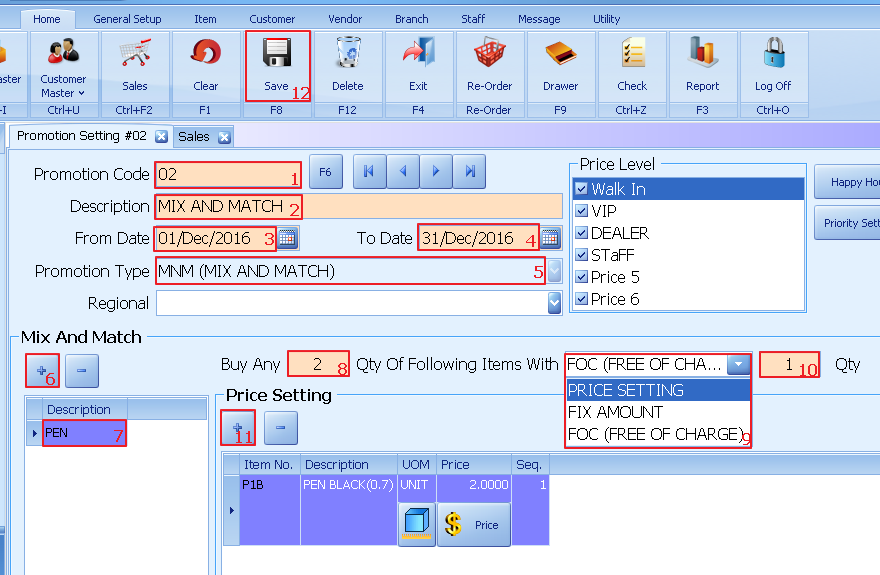
MIX AND MATCH
1. Enter promotions code
2. Enter description
3. Enter promotions start date
4. Enter promotions end date
5. Promotion type select mnm
6. Click +
7. Enter description
8. Enter the quantity
9. Price setting for the item
10. Enter the qunatity entitled promotions
11. Click + to select which item entitked for prmotions
12. Click to save
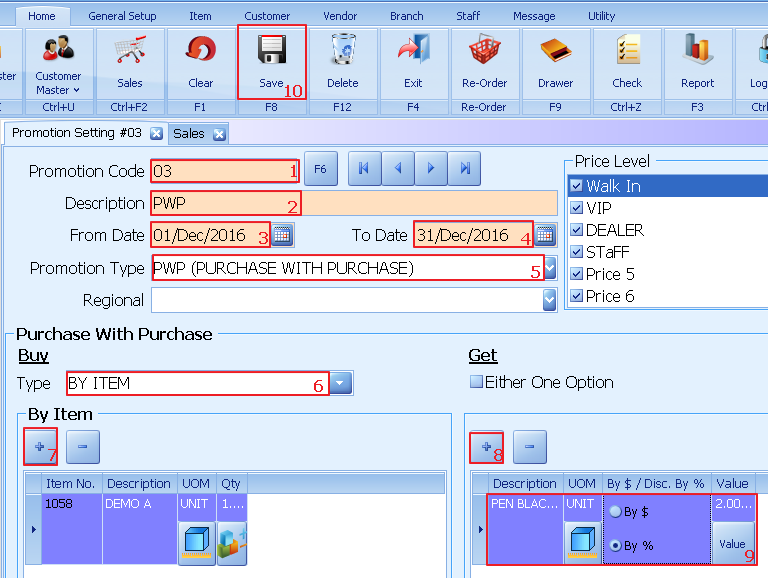
PURCHASE WITH PURCHASE(By item)
1. Enter promotions code
2. Enter description
3. Enter promotions start date
4. Enter promotions end date
5. Select prmotions type as pwp
6. Select type by item
7. Click + to select which item to be purchased
8. Click + to select which item to be discount
9. Set the item discount by $ / %
10. Click save to update
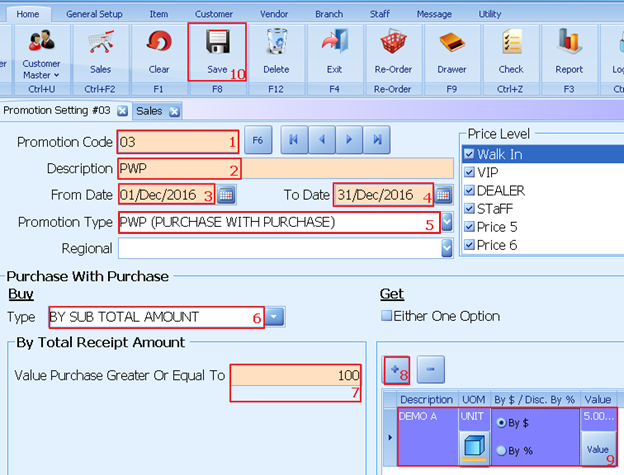
PURCHASE WITH PURCHASE(By Subtotal Amount)
1. Enter promotions code
2. Enter description
3. Enter promotions start date
4. Enter promotions end date
5. Select prmotions type as pwp’
6. Select type by sub total amount
7. Enter the amount
8. Click + to select which item to be discount
9. Set the item discount by $/%
10. Click save to update