 eeeson
Package item
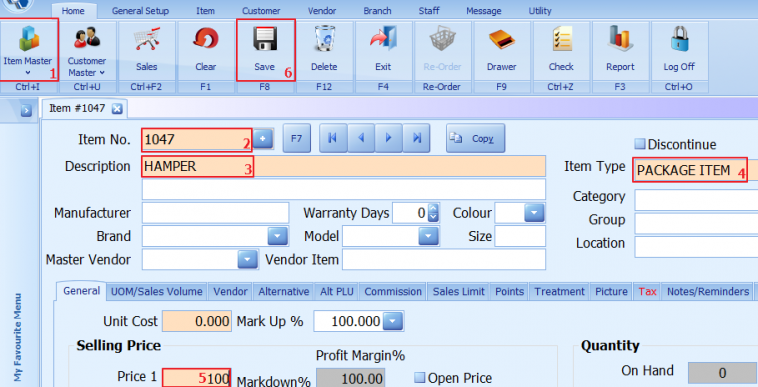
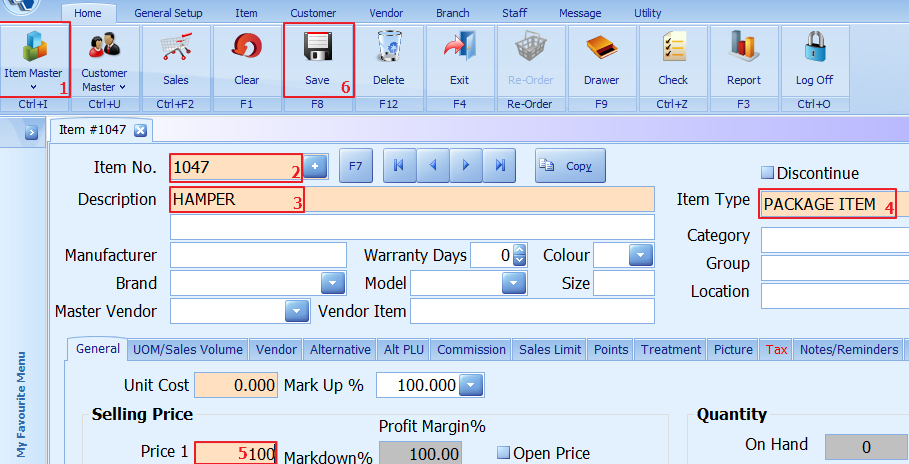
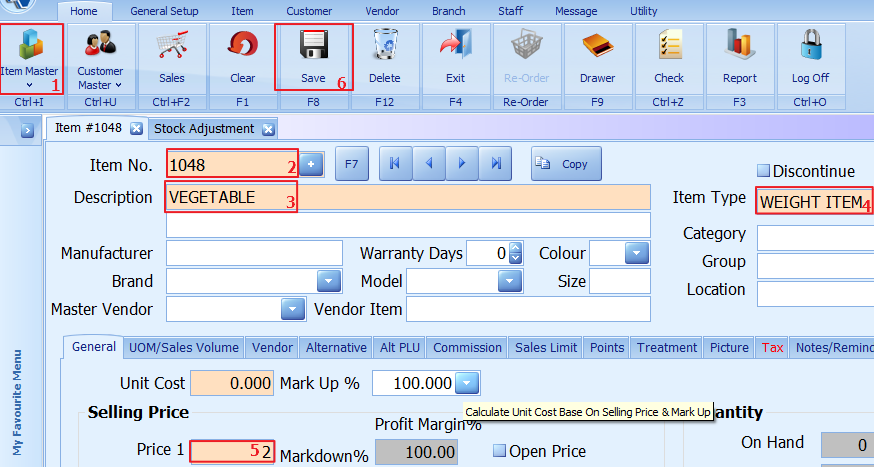
1. Click on item master
2. Enter/scan item no or press + for auto generate
3. Add description for the item
4. Choose the item type(package item)
5. Enter the item selling price
6. Click to save
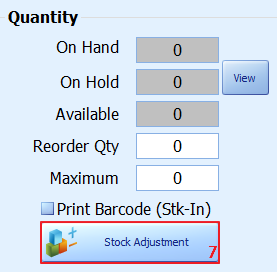
7. Click on stock adjustment
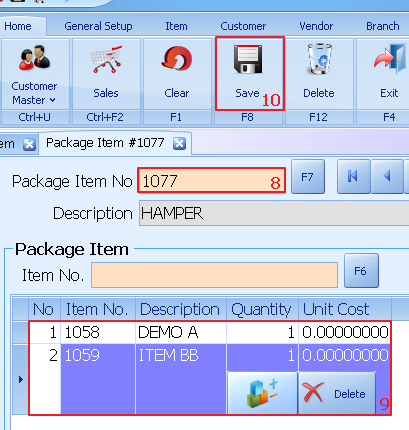
8. Select on which package item no
9. Enter the item no
10. Click on save to proceed
Weight Item
1. Click on item master
2. Enter/scan item no or press + for auto generate
3. Add description for the item
4. Choose the item type(weight item)
5. Enter the item selling price
6. Click to save
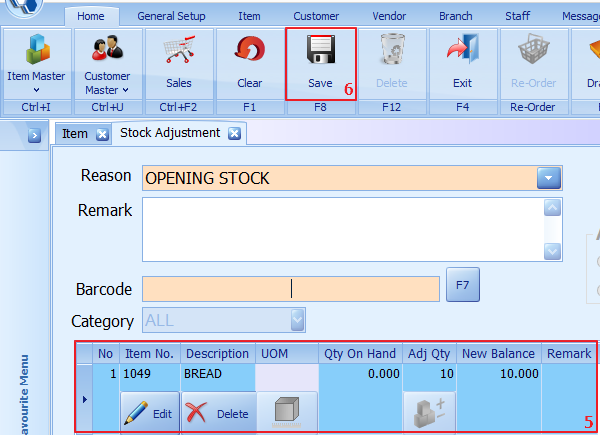
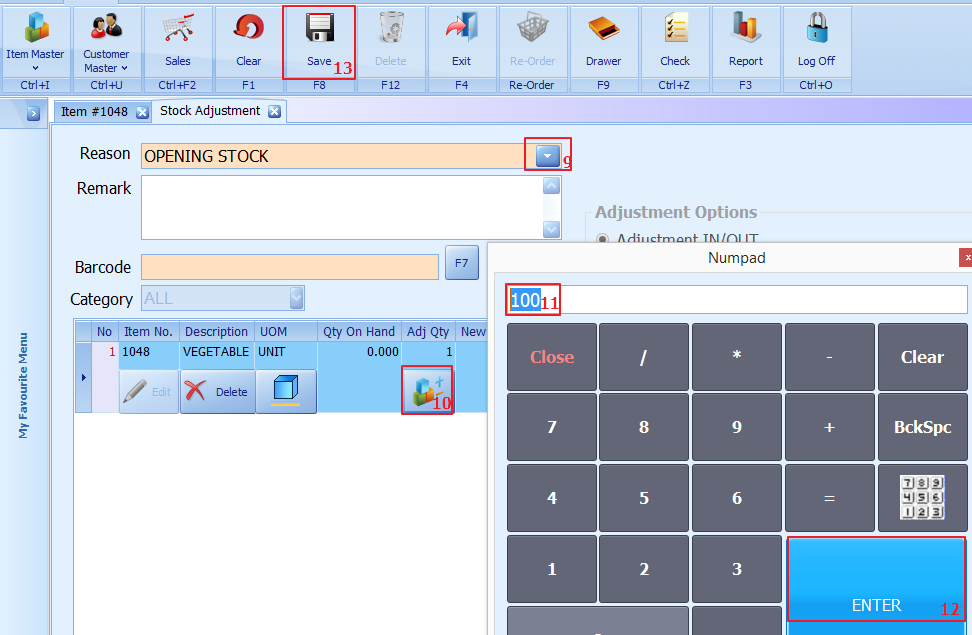
9. Select reason
10. Click on adjustment quantity icon
11. Enter the quantity
12. Click enter
13. Click on save
Expiry Item
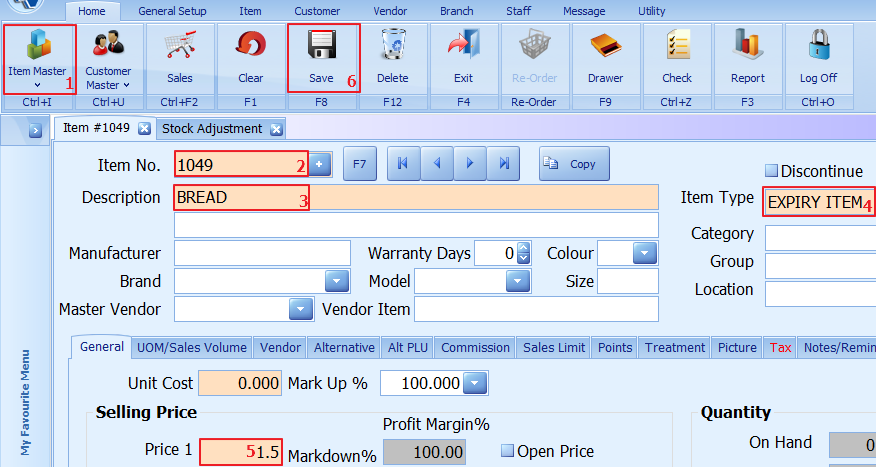
1. Click on item master
2. Enter/scan item no or press + for auto generate
3. Add description for the item
4. Choose the item type(expiry item)
5. Enter the item selling price
6. Click to save
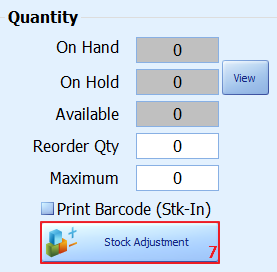
7. Click on stock adjustment
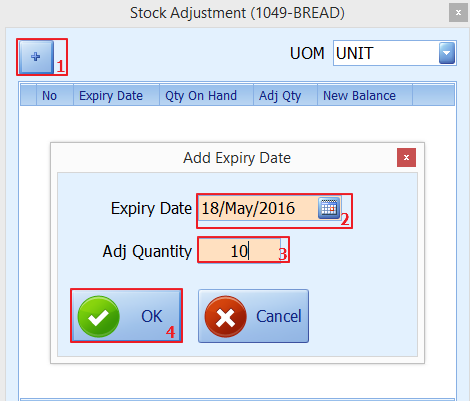
1. Click on +
2. Enter the expiry date
3. Enter the adjustment quantity
4. Click on ok
5. The adjustment quantity will show
6. Click on save to update