 eeeson
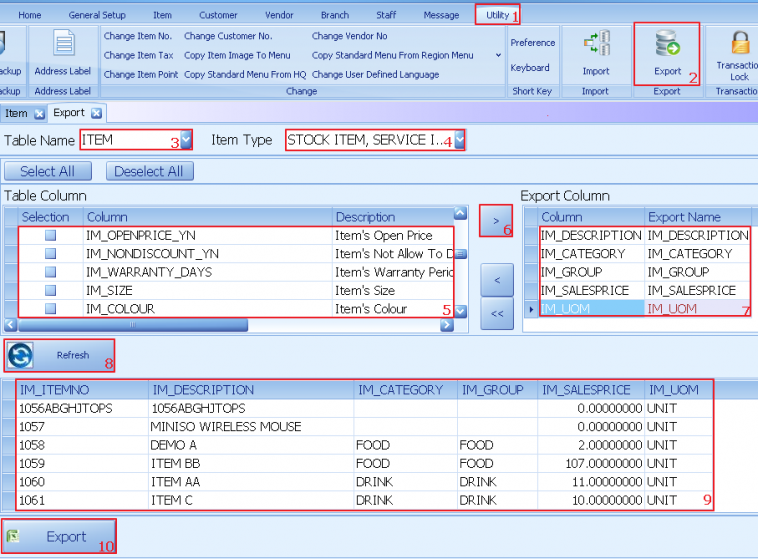
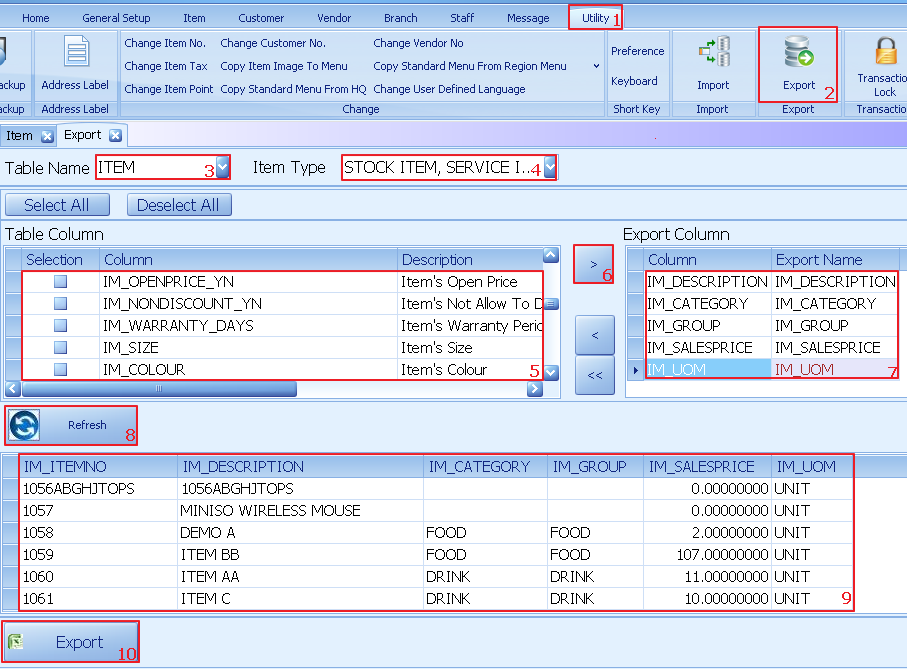
Export database into excel
1. Select utility
2. Click on export
3. On table name choose either item,vendor or customer
4. On table type choose the item type
5. On table column tick that data that needed
6. Click on right arrow to confirm
7. All the selected data will shown up in export
8. Click refresh
9. Sample of export database will shown here
10. Click export to confirm export to desktop
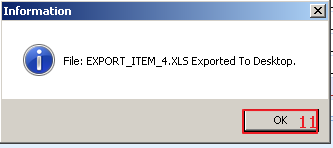
11. System will show information that successful exported
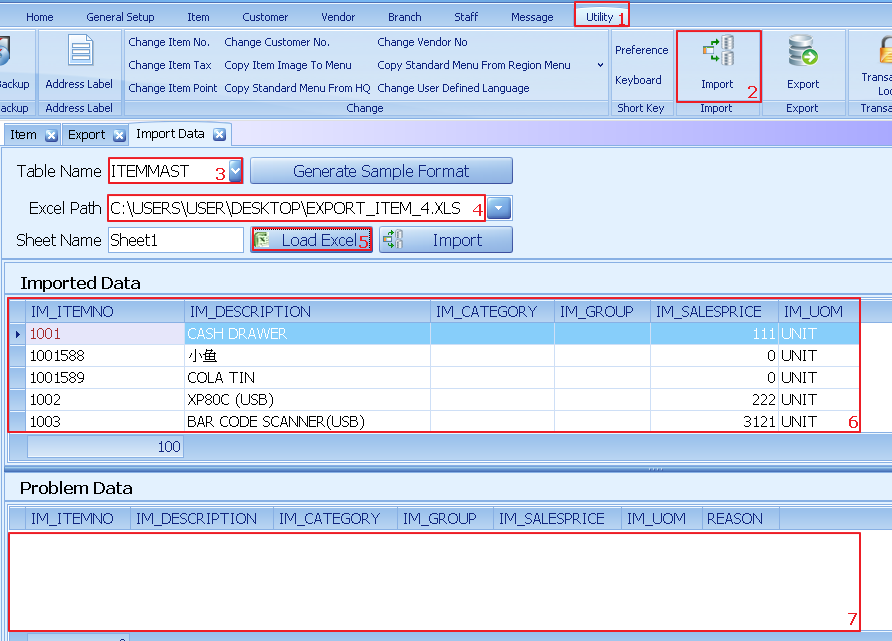
Import excel into database
1. Click on utility
2. Select export
3. Select table
4. Enter the path of excel located
5. Click on load excel
6. Successful loaded data will shows here
7. Problem data will show here