 eeeson
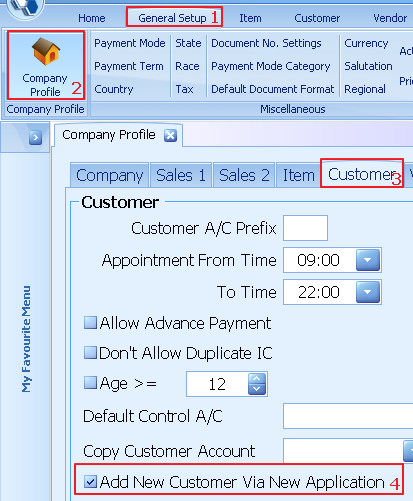
1. Select general setup
2. Select company profile
3. Select customer
4. Tick add new customer via new application
5.
Select save

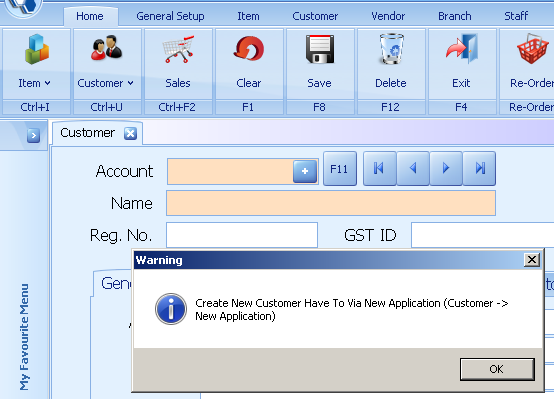
Warning:
After change the setting the system all new customer have
to create via new application
6. Select customer
7. Select member application setting
8. Select application type as new application
9. Enter the code
10. Enter the general information for member application
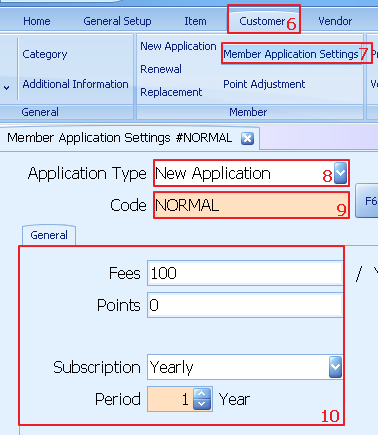
11. Click save to update

New Customer Via New Application
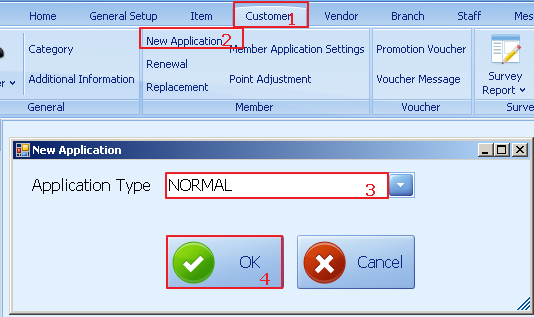
1. Select customer
2. Select new application
3. Select application type as normal
4. Select OK
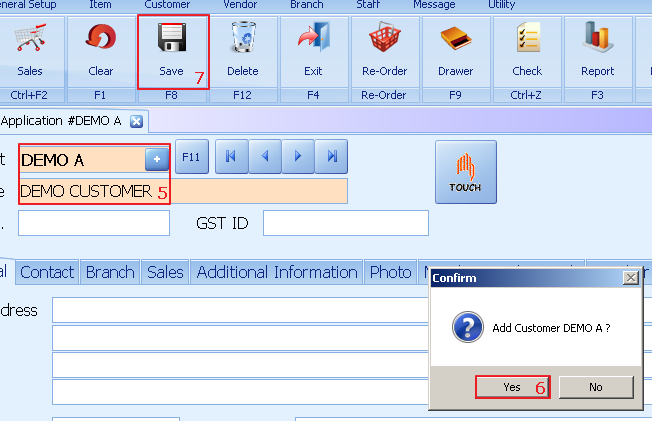
5. Enter customer information
6. Select yes to add customer
7. Click save to update
8. System auto prompt for payment
9. Enter ok to confirm payment