 eeeson
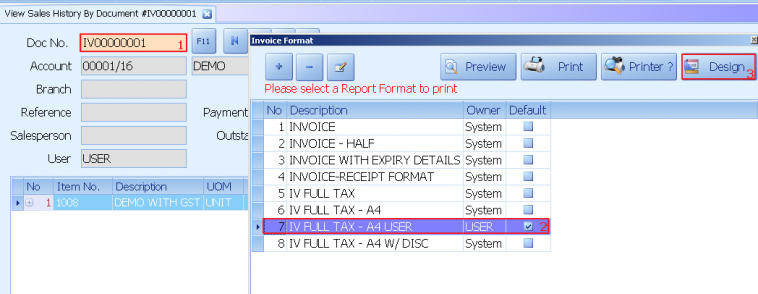
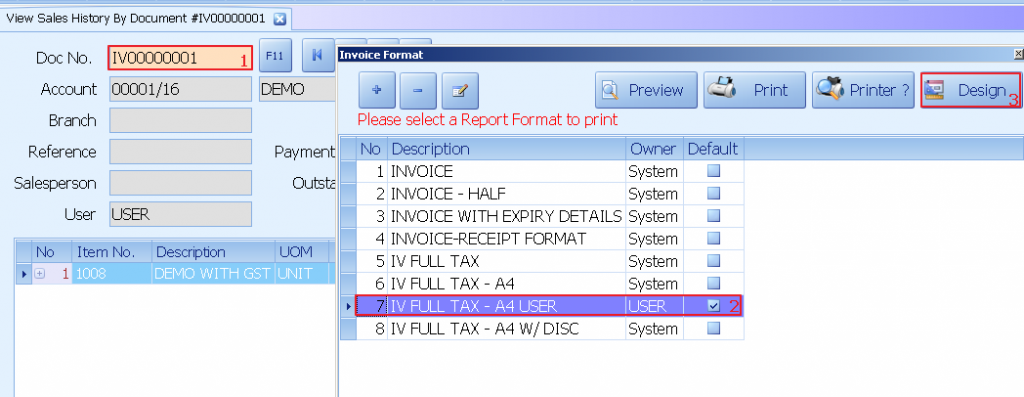
1) Select any document no
2) Select user report format
3) Click on design
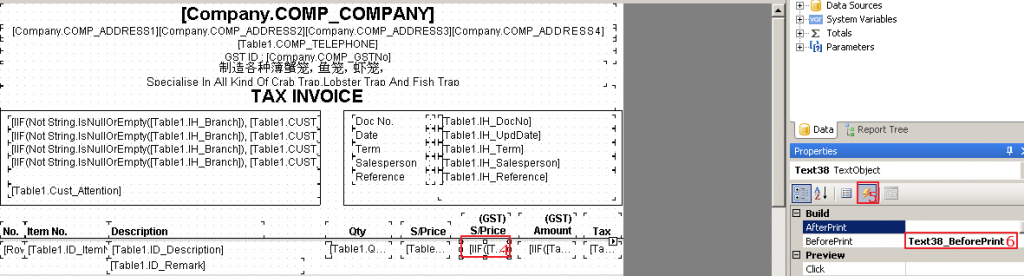
4) Select the data column
5) Click on event
6) Double click on “Text38_BeforePrint”
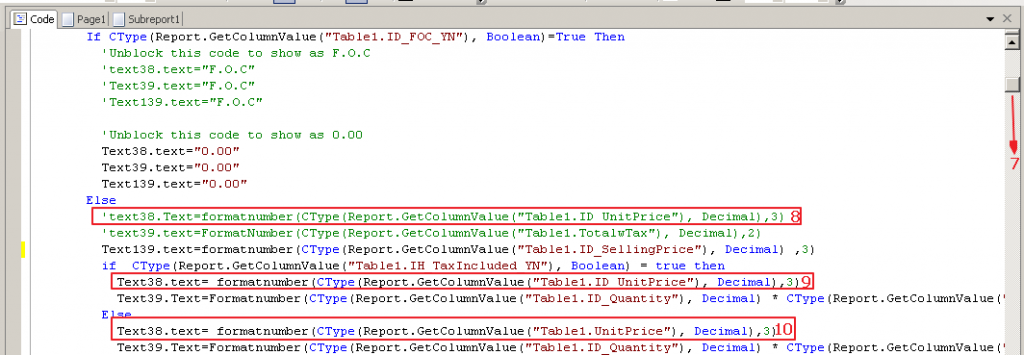
7) Scroll down look for text 38
8) Change the text 38 decimal into 3
9) Change the text 38 decimal into 3
10) Change the text 38 decimal into 3
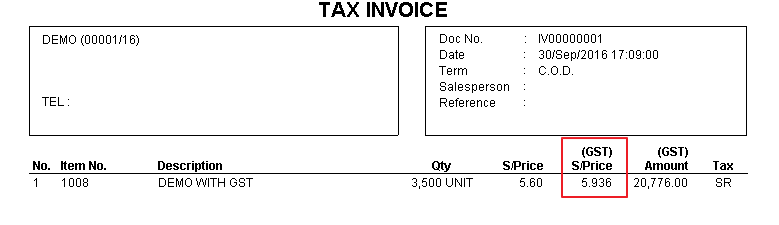
EXAMPLE: