 Alex Khoo

- Go to www.vpn.net and click on Download now

- click and select the language
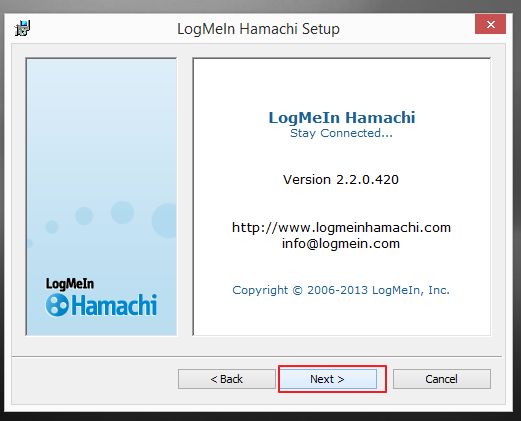
- click Next

- Click Next
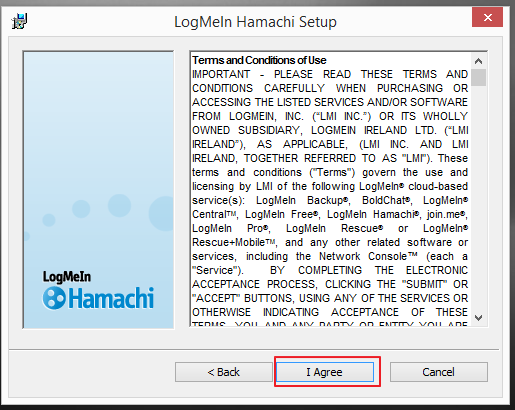
- Click I agree
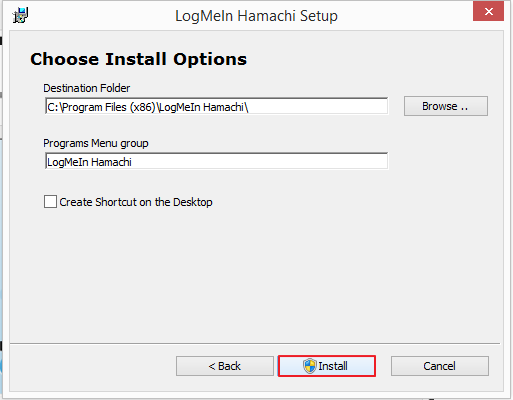
- Click on install
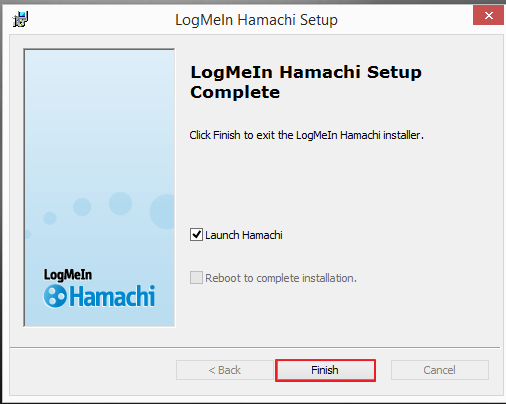
- After installation complete click on finish
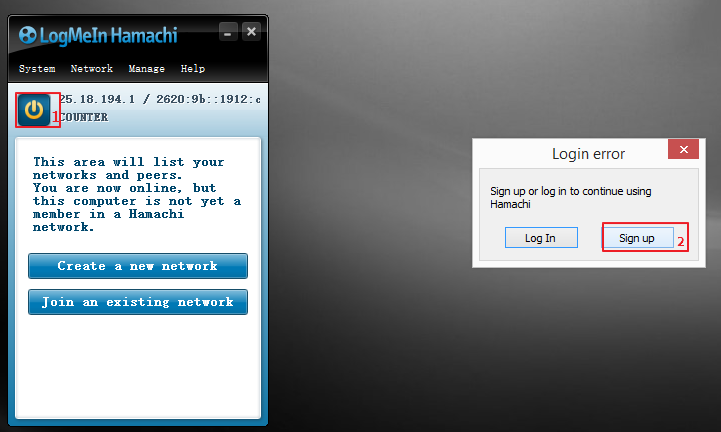
- Click the power on button to connecting Hamachi
- Sign up a new account
- Key in email address (email address can create from www.gmail.com or www.yahoo.com)
- Create your password
- Retype your password
- Tick the blank to accept LogMeIn’s term and Privacy policy
- Click Create account

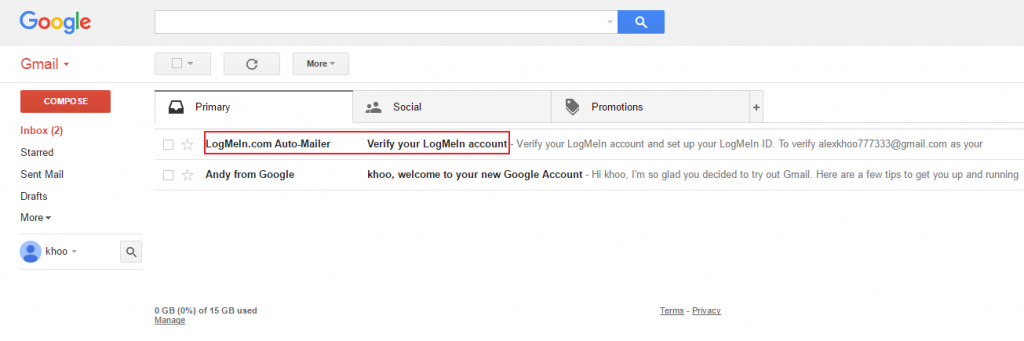
- Login to mail box and verify your LogMeIn Account
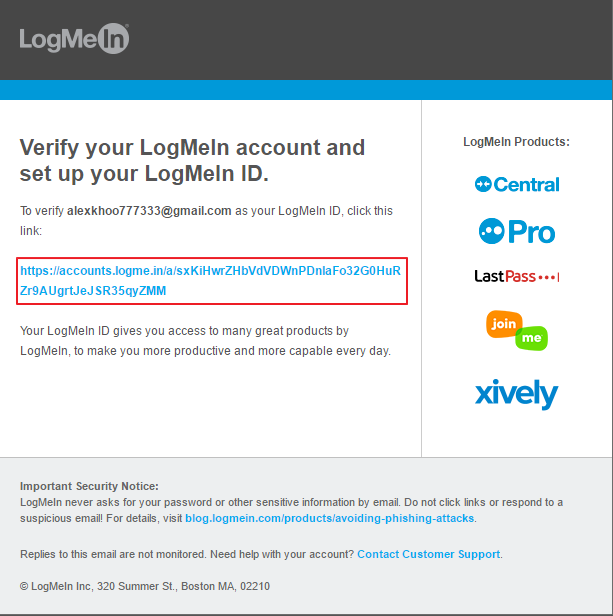
- Click the link below to verify
How To Create New Network For Hamachi (SERVER)
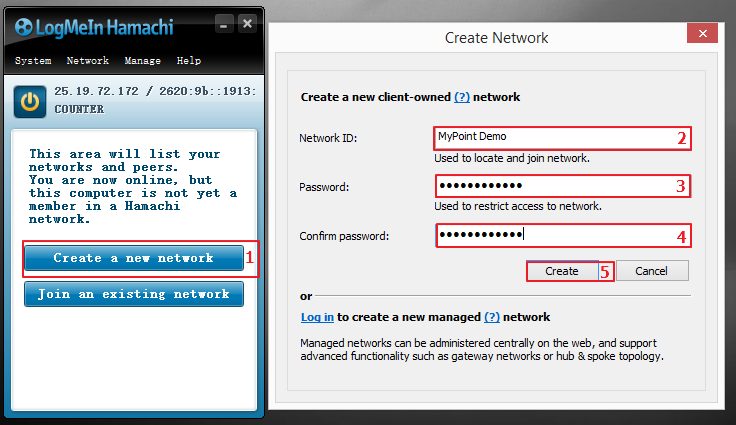
- Click create a new network
- Fill in your network id (ex. Mypoint)
- Create a password
- Retype again same password to confirm password is correctly match
- Click to create new Hamachi network
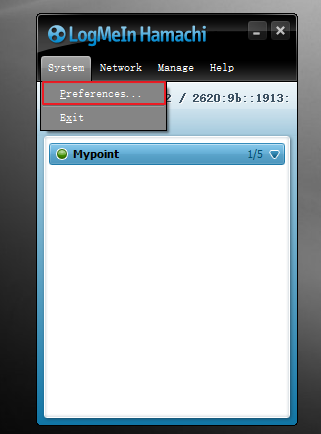
- Select Preferences to change the network name
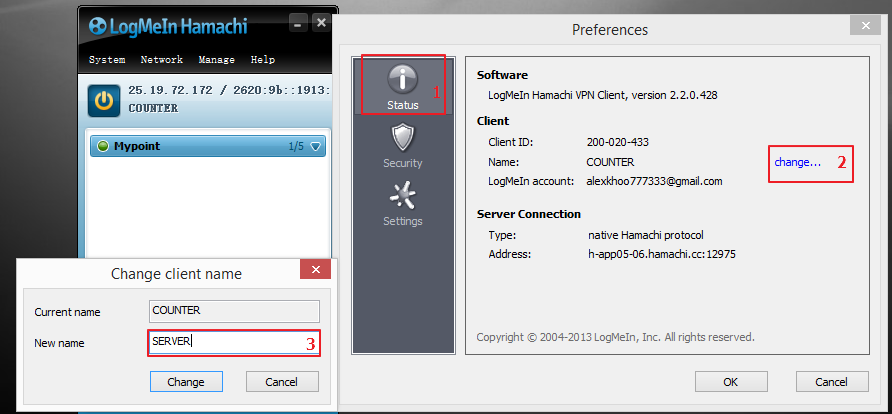
- Click Status
- Click change
- Type a new name
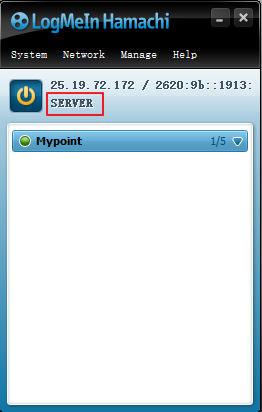
- The name been updated
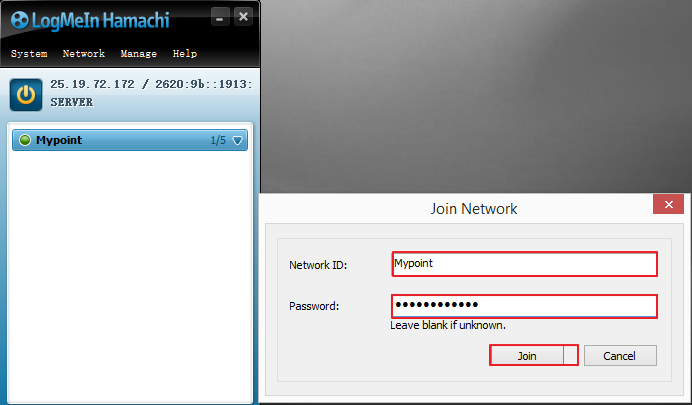
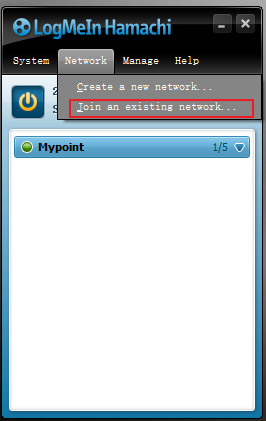
- Select Join an existing network
- Key in network id & password and join